
Security Camera App
Oreon LLCHouse & Home
3.6170.00 Reviews
- Version
- 1.0.0.57
- Installs
- 1.00M
- Age Rating
- Everyone
Screenshots
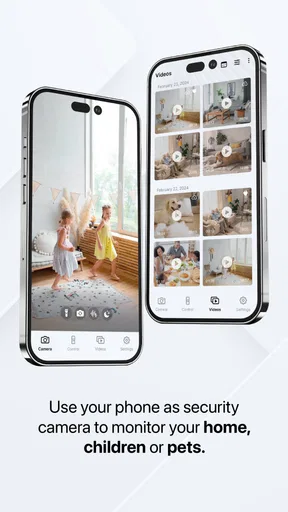
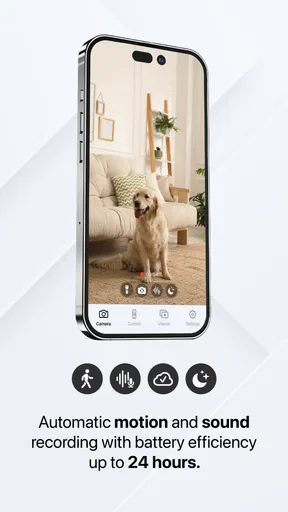
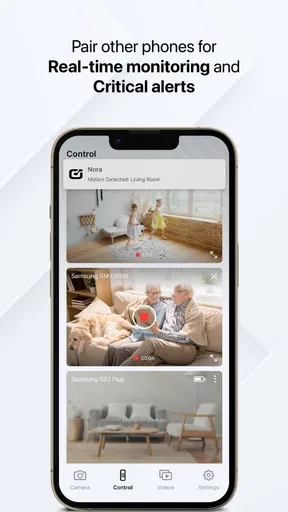
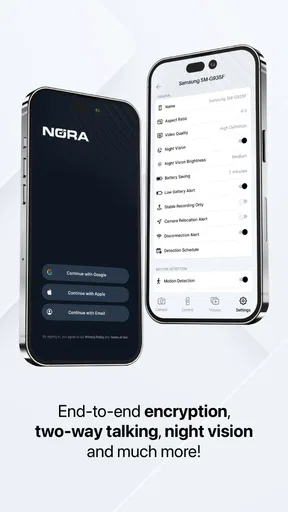
Our Review of Security Camera App
 Analysis by Appyee
I like the idea of turning a spare phone into a camera for a quick check on a room, but I’d treat this as a practical stopgap rather than a replacement for a dedicated security system. The app is in the house-and-home category, is free to install, and comes from Oreon LLC. Its appeal is simple: use a phone you already own to keep an eye on a space, instead of buying another camera before you know whether remote viewing suits your routine.
Readability, navigation, and getting started
Hey there! So, I've been diving into the Security Camera App, and let me tell you, it's been quite the experience. This app promises to keep an eye on things when you're not around, which sounds pretty comforting, right?
Setting up the Security Camera App was surprisingly straightforward. I mean, I've tried a few of these apps before, and sometimes they make you jump through hoops just to get started. Not this one! I downloaded it from the app store and within minutes, I was up and running. All you need is a smartphone camera, and you're good to go.
The app's interface is clean and intuitive. You don't need to be a tech wizard to figure things out, which is a huge plus in my book. It’s all about making life easier, right? Just a few taps here and there, and you're ready to start monitoring.
That low-friction setup matters most when you have an old phone ready to repurpose and want to test the idea before spending on a standalone camera. I’d plan the setup while you’re physically near both phones, rather than expecting to improvise after leaving home. Before relying on it, check that the camera is aimed at the area you actually need, that the monitoring phone has a stable place to sit, and that you can reach the viewing controls without hunting through menus.
For readability, a simple interface is useful, but it does not automatically make every task equally easy for every person. If you have difficulty reading small text or distinguishing subtle visual changes, test the controls on your own device before leaving the camera unattended. I would also try the routine in daylight and in the lighting conditions you expect to monitor; a reassuringly simple setup is only helpful if the view is clear enough for your purpose.
Motion alerts and what to test first
Alright, let's talk features. One thing that caught my attention was the motion detection. It’s like having a digital guard watching over your space. Whenever there’s movement, you get an alert. The sensitivity settings are adjustable, so no more notifications every time your cat decides to roam the house.
The useful trade-off is that sensitivity is not a set-and-forget promise. A setting that catches a person entering a quiet room may also react to a pet, changing light, or activity near the edge of the frame. I’d start with the phone pointed at a small, meaningful zone—such as a doorway rather than an entire busy living room—then make a few ordinary movements through the scene and adjust from there. That can reduce irrelevant alerts without leaving a broad area unobserved.
Think of a realistic evening away: you leave a phone on a shelf facing the front entry and use your usual phone to check whether anyone has come into the room. A narrow view can be more actionable than trying to watch every corner. It also avoids turning routine family movement into a stream of alerts. If pets or other household members pass through often, decide in advance which movements matter; otherwise, repeated notifications can train you to ignore the one that deserves attention.
Audio, privacy, and sensory considerations
Another neat feature is the two-way audio. Imagine being able to talk to someone at home while you're miles away. Whether it's telling your dog to get off the couch or just saying hi to your family, it's a nifty addition.
Audio can be handy, but I would treat it as a short, deliberate interaction rather than an always-on conversation. If you are checking on a pet, a brief voice cue may be enough; for a longer conversation, a regular call is often more natural and gives both people clearer control over when to speak. Sound alerts and spoken audio may also be less useful in a noisy home or for someone who is hard of hearing, so the app should not be the only way you know something needs attention.
And for those of us who are a bit paranoid about privacy, the app assures that all the video streams are encrypted. So, you can have that peace of mind knowing your footage isn’t being shared with the world.
Even with encrypted streams, where you place a camera remains a personal decision. I would point it toward the specific area I need to check and avoid private spaces where household members expect not to be recorded. Tell anyone who may be in view that the phone is being used as a camera, and take it down when monitoring is no longer needed. A repurposed phone can feel informal, but it is still a camera in someone’s home.
When remote viewing fits—and when it does not
Let's get real. An app can have all the features in the world, but if it’s a pain to use, what’s the point? Thankfully, this app doesn’t disappoint. The user experience is smooth, and I didn’t encounter any major hiccups.
One thing I appreciated was the real-time streaming. The video quality is crisp, assuming you have a decent internet connection. I tried it on both Wi-Fi and mobile data, and it performed pretty well.
That dependence on a working connection is worth building into your expectations. Before trusting a remote view for an important check, test it from the same place you expect to use it, including over mobile data if that is your normal routine. A camera feed that works well beside the home router may feel different when you are farther away or using a weaker connection. I would not make a safety-critical decision on the assumption that a live stream will always be available.
For someone who wants occasional reassurance about a pet, a delivery area, or an empty room, using a spare phone can be a convenient low-cost experiment. It is less suitable if you need a dependable, permanent installation, coverage in several rooms, or a system designed around continuous home monitoring. A dedicated camera is usually the better fit when fixed placement, purpose-built hardware, and a long-term setup matter more than using a phone you already have.
Now, I did notice that the app can be a bit battery-hungry if you’re streaming for long periods. But hey, that’s kind of expected with apps that use the camera extensively, right?
In practice, I would keep the camera phone connected to power and use a stable, well-ventilated surface, rather than leaving it wedged somewhere that could overheat or fall. Check the framing after you plug it in: charging cables can limit where the phone sits, and a tiny shift can turn a doorway view into a wall. If you need to move the phone often, a dedicated camera may be more convenient than repeatedly rebuilding the angle.
There is also a human-factors question: how will you notice an alert if you cannot comfortably check your phone or hear a sound? If you have limited dexterity, test the full sequence—opening the app, selecting the view, and responding to an alert—before depending on it. If you have low vision, consider whether the live image is usable on your screen at the size and brightness you normally prefer. I would not assume that a clean interface alone resolves these needs.
Who should choose another setup
This is not the right choice for everyone. I would skip it as a primary security measure if you need guaranteed coverage, a camera that remains installed without tying up a phone, or dependable monitoring during internet or power interruptions. It is also a poor match if you cannot leave a suitable phone in place, need to watch multiple locations at once, or want a hands-off setup that other household members can operate without learning a new routine.
Compared with a dedicated indoor camera, the phone-based approach has the obvious advantage of reusing hardware, but it asks you to manage the device, its power, its position, and its connection. Compared with simply making a video call to check a room, motion alerts can make the app more useful when you are not actively looking at the screen, while a call is often simpler for a planned conversation. The better option depends on whether you want occasional visibility or a more permanent security arrangement.
The app is free to install, with optional in-app purchases priced from $1.99 to $49.99 per item. I would first work out whether the basic phone-camera routine meets your needs, then decide whether any paid option is worth considering inside the app. The rating averages 3.7 from around 1.3K ratings, alongside 170 written reviews; I’d read recent feedback for practical context rather than treating a score as a guarantee that it will behave the same on every device.
Inclusive verdict and practical limits
All in all, the Security Camera App does what it says on the tin. It's reliable, user-friendly, and packed with features that make monitoring your space a breeze. Whether you’re using it for home security or just checking in on your pets, it’s a solid choice.
If you’re looking for an app that’s easy to set up and won’t require you to take a course just to understand it, give this one a shot. It’s a handy tool to have, especially in today’s world where keeping an eye on things, even when you're not around, is essential.
So, go ahead and check it out. You might just find it’s the security solution you’ve been looking for.
My more measured recommendation is to think of it as a flexible way to reuse a spare phone, not as proof that a home is fully protected. It is aimed at everyday checks and straightforward monitoring, and the app’s Everyone content rating makes its intended audience broad. It was released on July 2, 2024; the current version is 1.0.0.57, and it requires Android 6.0 or later. It has over 1 million installs, which suggests many people have tried the phone-as-camera idea, though that alone does not tell me whether it suits a particular household or accessibility need.
For a quick trial, choose one location, keep the phone powered, and test the view and alerts from outside the home before counting on them. If the workflow is comfortable and the connection holds up in your normal surroundings, it can be a useful addition for low-stakes check-ins. If you find yourself needing constant coverage, repeated adjustments, or a way to monitor something important without interruption, I would move to a dedicated camera or a more suitable security setup instead.
Verdict
Strengths of Security Camera App
- Easy setup process for quick installation.
- High-quality video resolution for clear footage.
- Real-time alerts keep you informed instantly.
- User-friendly interface for seamless navigation.
- Supports multiple cameras for broader coverage.
Limitations of Security Camera App
- Limited cloud storage options available.
- Requires stable internet for optimal performance.
- Subscription needed for advanced features.
- Occasional lag in live streaming feed.
- Battery drain on mobile devices can be high.
Similar Picks in This Category
View All
Universal TV Remote Control
CodeMatics Media Solutions3.9

AlfredCamera Home Security app
Alfred Systems Inc.4.7

Planner 5D: AI Home Design
Planner 5D4.5

Universal Tv Remote-Cast to TV
One Music Player4.1

Zillow: Homes for Sale & Rent
Zillow Group4.8

99acres Buy/Rent/Sell Property
infoedge.com4.3
Frequently Asked Questions
What features does the Security Camera App offer?
The Security Camera App provides a range of features including live streaming, motion detection, night vision, and cloud storage. Users can receive real-time alerts on unusual activity and review past footage. Some versions also offer two-way audio, allowing interaction with individuals near the camera.
Is the Security Camera App compatible with all devices?
The app is designed to be compatible with most Android and iOS devices. However, compatibility may vary depending on the device’s operating system version. It's recommended to check the app’s requirements on the download page to ensure it works with your specific model and OS version.
How secure is the data gathered by the Security Camera App?
Data security is a priority, with the app employing encryption protocols to protect data transmission. Stored footage is secured in the cloud, and only authorized users have access. It's crucial to set strong, unique passwords and enable two-factor authentication if available for added security.
Does the Security Camera App require a subscription?
While the basic features of the Security Camera App may be free, access to advanced features like extended cloud storage, higher resolution streaming, and additional camera support might require a subscription. Users should review the app’s pricing details for specific plans and costs.
Can I access the Security Camera App remotely?
Yes, the Security Camera App allows remote access through a mobile device or computer. Users can view live feeds, control cameras, and receive notifications from anywhere with an internet connection, making it convenient for monitoring while away from home.
